


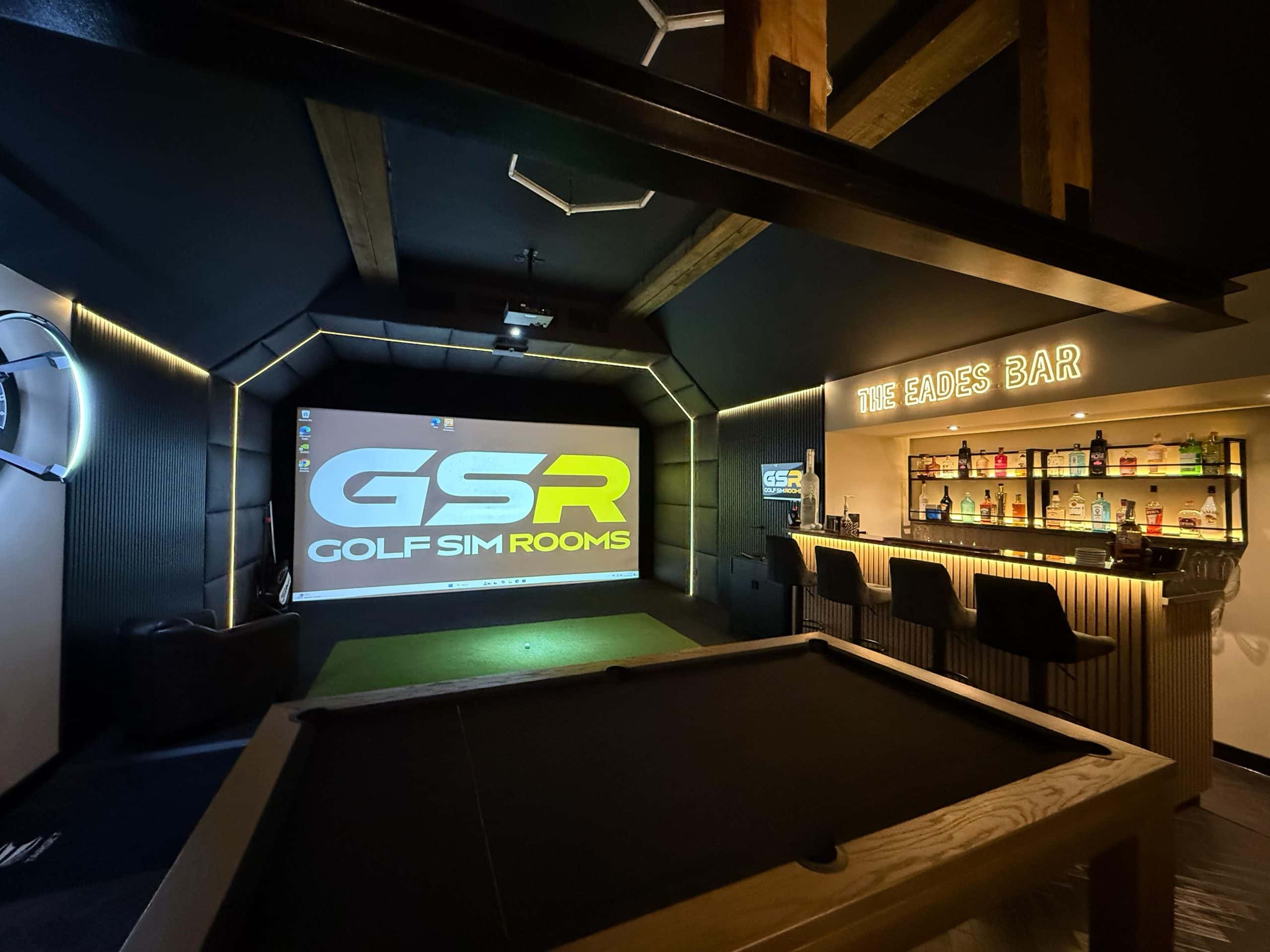
The software you should run on your home golf simulator depends mainly on two things, which launch monitor you own and what you want from the room. For most home simulators with a third party launch monitor, GSPro is the strongest all round choice because it supports a wide range of hardware, has thousands of free community built courses and runs online play and competitions. If you own a TrackMan, its own software is the natural fit. Foresight owners use FSX, and families who want games, simplicity and iPad or Mac support often prefer Awesome Golf or E6 Connect.
The bigger point is that software and launch monitor have to be chosen together. Some launch monitors only work with their own software, and some software only works with certain launch monitors or on Windows. Get that pairing right and the room gets used. Get it wrong and you can end up paying for subscriptions you do not want or a PC you did not need. Below, we compare the main options and explain how we help clients choose.
Why the software matters more than people expect
The launch monitor measures the shot, but the software is what you actually look at and interact with every time you walk into the room. It decides which courses you can play, how practice data is shown, whether you can compete online, and how much you pay every year after installation.
Across more than 1,000 installations, we’ve found that convenience and fit matter more than specification. The rooms that get used most are the ones where the software matches how people actually play. A golfer working on their handicap needs good practice tools and data. A family wants quick games and easy menus. A competitive player wants online events. One package rarely does everything equally well.
In our experience, choosing the software before the launch monitor works better than choosing the launch monitor first because the launch monitor often decides which software you are allowed to run. Clients who pick hardware on headline accuracy alone are sometimes surprised to find their favourite courses or their friends’ online league sit on a platform their unit does not support.
GSPro
GSPro has become the default choice for many home simulator owners, and it is a platform we know well. Golf Sim Leagues, the competition we developed, runs on it.
- Price. US$250 a year, with no one off licence option.
- Courses. It ships with a driving range and practice facility, and the community has created more than 2,500 courses that are downloaded free through the SGT course server.
- Launch monitors. 31 are officially supported, including Uneekor, FlightScope, Foresight, Bushnell, Garmin and Rapsodo models, with an open interface for others.
- Players. Up to eight players locally or online.
- Hardware. Windows PCs only. The minimum for 1080p is an RTX 3060 graphics card with 16GB of memory, and an RTX 3080 or better with 32GB is recommended for 4K.
The course library is the real strength. Because courses are built by the community, the choice is far wider than on most commercial platforms, although quality varies from course to course. The open platform also means you are not locked in if you change launch monitor later, provided the new unit is supported.
GSPro is also the platform behind Golf Sim Leagues, the weekly online competition we developed with simulator golf community ambassadors. Each flight is capped at 100 players and plays for £250 in prizes every week, with handicaps reviewed weekly by a rules committee. If competition keeps you practising, how Golf Sim Leagues works is worth reading before you choose your software.
TrackMan Virtual Golf and Performance Studio
If you own a TrackMan, you will almost certainly run TrackMan’s own software. As a TrackMan authorised dealer, we supply and set it up as part of TrackMan installations.
- Price. TrackMan lists the iO software subscription at US$700 a year on its home simulator page.
- Courses. More than 500 courses in 4K, including famous tour venues.
- Features. A full practice range, a performance centre for data analysis, skill games, local and online multiplayer, and online tournaments.
- Hardware. Designed for TrackMan launch monitors and supplied with a powerful gaming PC in TrackMan’s home packages.
TrackMan’s strength is the quality and depth of its practice data, which is why it is used so widely by coaches. It is also the most expensive route, and we do not recommend it to everyone. We once advised a client with a 28 handicap against buying TrackMan, even though we are a dealer, because his game simply did not need that level of data.
Foresight FSX
Foresight’s FSX software, including FSX Play, works with Foresight and Bushnell launch monitors such as the GC3, GCQuad, Falcon and Bushnell Launch Pro. Foresight’s support pages confirm it runs on 64 bit Windows 10 or later, with an RTX 3060 or better graphics card, and is not available on Mac or iPad.
FSX is polished and its practice tools pair well with Foresight’s camera based data. Foresight owners can also run GSPro for a wider course choice. Foresight states that this needs an active Foresight+ Gold membership or an eligible FSX licence, so check which tier your unit includes before you budget.
Uneekor software
Uneekor launch monitors come with their own software, organised into membership tiers on Uneekor’s subscription page. The free Player tier includes the VIEW virtual driving range. The Pro tier, at US$199 a year, unlocks third party software such as GSPro and E6 Connect, and the higher tiers add more courses and AI coaching tools.
This is a detail we flag at design stage. If you buy a Uneekor unit intending to play GSPro, you will need at least the Pro membership as well as the GSPro licence, so there are two annual costs to budget for.
E6 Connect
E6 Connect, made by TruGolf, is one of the longest established simulator platforms. It runs on Windows PCs and iPad, pairs with more than 18 launch monitors, and its App Store listing advertises more than 100 recreated courses. Pricing varies by launch monitor and package, so check the bundle that applies to your hardware.
The iPad support makes E6 a practical option for smaller setups, or for clients who do not want a dedicated gaming PC in the room.
Awesome Golf
Awesome Golf is built for fun and accessibility rather than tour level realism. Its pricing page lists £14.99 a month, £149.99 a year or £349.99 for a lifetime licence, with a 14 day free trial. It runs on Windows, Mac, iPad, iPhone and Android, and supports launch monitors from Bushnell, FlightScope, Foresight, Garmin, Rapsodo, Square Golf and Uneekor.
It suits rooms where children and non golfers will use the simulator as much as the main golfer does. The games are quick to pick up, and the lifetime option avoids another annual subscription.
Comparing the main options
| Software | Typical cost | Runs on | Best for |
|---|---|---|---|
| GSPro | US$250 a year | Windows | Course choice, online play, competitions |
| TrackMan | US$700 a year (iO) | TrackMan PC package | Detailed practice data and coaching |
| Foresight FSX | Varies by membership | Windows | Foresight and Bushnell owners |
| Uneekor | Free to US$599 a year | Windows, VIEW Air on iPad | Uneekor owners |
| E6 Connect | Varies by package | Windows and iPad | Broad compatibility, smaller setups |
| Awesome Golf | £149.99 a year or £349.99 lifetime | Windows, Mac, iPad, Android | Families and casual play |
Prices are those published by each developer at the time of writing and may change. Several are listed in US dollars, so UK pricing through a dealer can differ.
Do not forget the PC
Most of the leading platforms run on Windows only and need a capable graphics card. GSPro, FSX and Uneekor all list an RTX 3060 as a minimum, and 4K projection pushes requirements higher. A gaming PC that meets these specifications is a real line in the budget.
We plan where the PC sits during the design stage, usually away from the hitting area with cables routed through trunking or the ceiling.
How we help clients choose
At the survey, we ask three questions. Who will use the room, what do they want to get from it, and is there a launch monitor already owned or preferred? From there, the software usually picks itself.
- Golfers focused on lowering their handicap usually benefit most from strong practice and data tools, and we have seen clients drop three to five shots within twelve months when they practise with purpose. Our post on how a home golf simulator lowers your handicap explains the routines that make the difference.
- Social and competitive golfers tend to prefer GSPro for its courses and online play.
- Families usually value simple menus, games and multi device support over raw data.
Whatever the choice, the software should be installed, accounts created, courses loaded and the whole system tested before we leave, so you walk into a room that is ready to play.
Choosing the right software for your room
There is no single best simulator software, only the best fit for your launch monitor, your PC and the way you want to play. GSPro suits most third party setups, TrackMan software suits TrackMan owners who want deep data, and Awesome Golf or E6 suit families and smaller rooms. Decide what the room is for, then choose software and hardware as a pair.
Golf Sim Rooms designs every golf simulator room around the hardware and software that suit the client, not the other way round. Contact us to book a consultation and we will help you choose the right combination for your space.